Access: Reports > Payroll results > Payroll reports (PDF)
General information ⇨ The CCQ data compliance report is generated after each payroll run in Simulation mode and made available for review. This allows you to correct employee files as needed. ⇨ This report is used to validate the amounts calculated during payroll, which are subsequently recalculated by the CCQ. It also serves to validate CCQ-related data in employee files. ⇨ A final version of the CCQ data compliance report will be produced following the last payroll run of the month and is available on the day the CCQ remittance is debited. ⇨ Please note that messages transmitted by the CCQ are in French only.
⇨ Frequently Asked Questions - Chantier numéricccq
|


The content of the report varies depending on whether irregularities are detected during a payroll run.
No irregularity
If no errors are detected, the report is generated for information purposes only, and no action is required. ✓ No blocking errors or activity were detected by the CCQ. ✓ No errors regarding non-compliant data or activity were detected by the CCQ. ✓ No calculation discrepancy or activity were detected. |
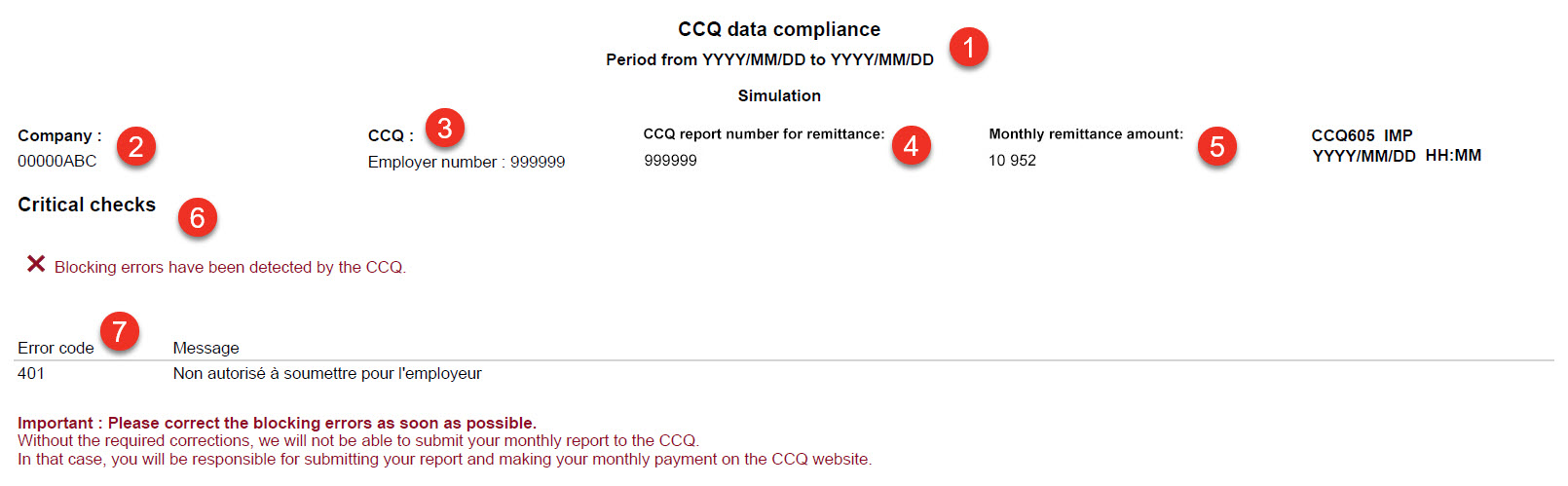
Critical checks
•Simulation version: One or more errors prevent the validation processes used to detect non-compliant employees and/or discrepancies between payroll-calculated amounts and those recalculated by the CCQ. •Final version: –One or more errors prevent the transmission of the monthly report and the CCQ remittance. –You must manually enter the information from your CCQ006 report on the CCQ website and make the remittance yourself. –Your account will still be debited because the process cannot be interrupted; however, we will reimburse you afterward.
|
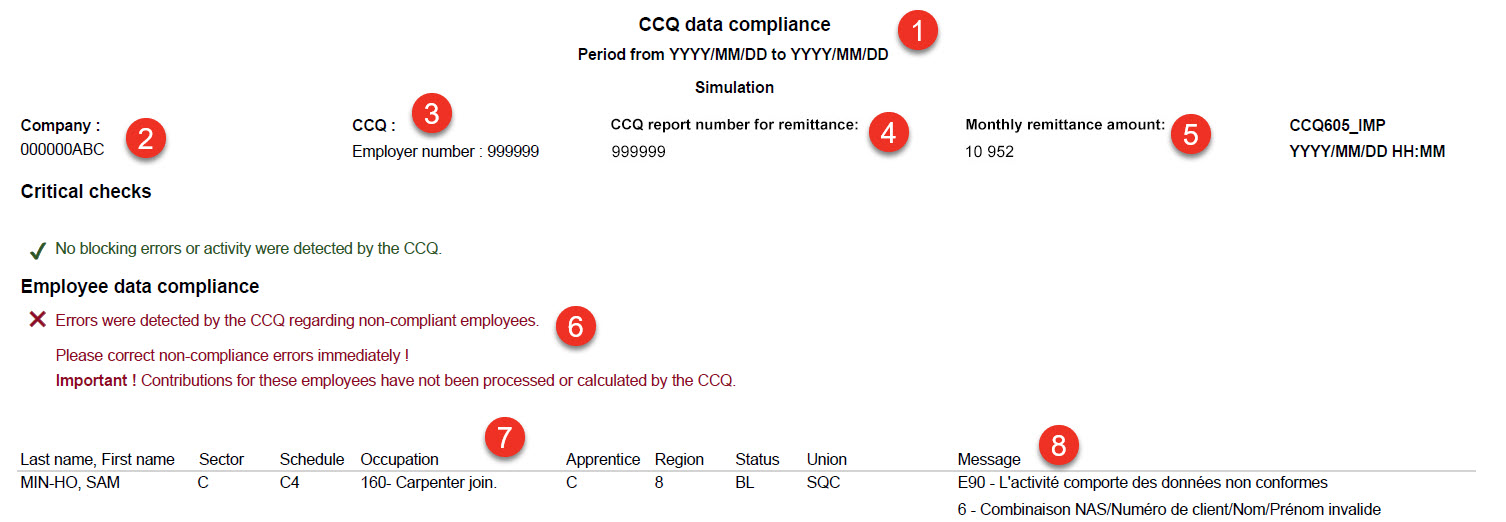
Employee data compliance
•Simulation version: –Non-compliant data has been detected in employee files. –This prevents the validation of contribution amounts for the affected employees. •Final version: –Non-compliant data has been detected in employee files. –This prevents the validation of contribution amounts calculated during payroll versus those recalculated by the CCQ for affected employees. –Some discrepancies may not be calculated. –IMPORTANT: You must correct and enter the non-compliant employee data in the monthly report on the CCQ website.
|
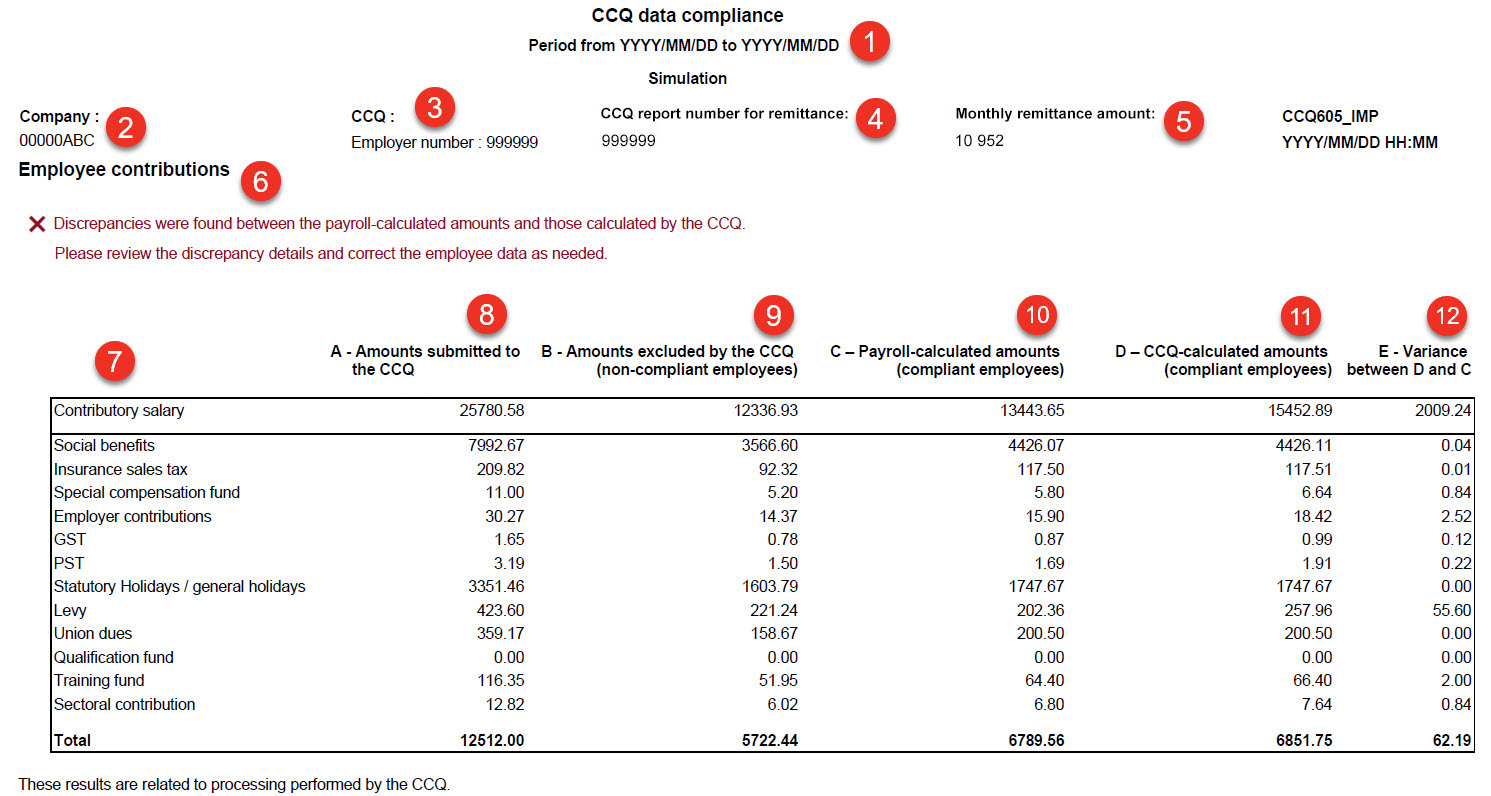
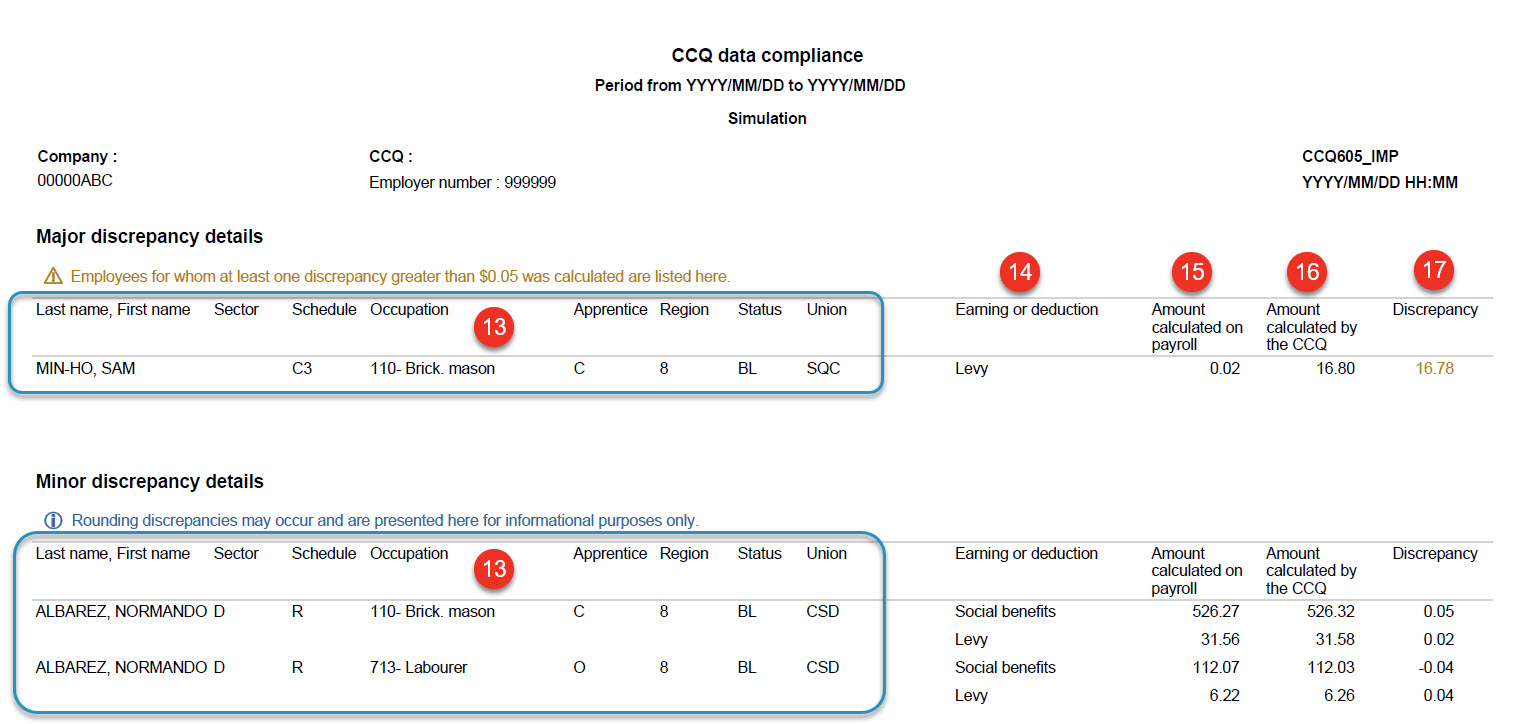
Calculation discrepancies Employee contributions
Please apply the necessary corrections in your next payroll.
|
|
Tips and tricks Set up email alerts to remind yourself to review your reports.
|


Important ▪Discrepancies will not be calculated for employees listed in the CCQ data compliance section of the report. ▪The amounts indicated are for information purposes only and do not represent the final amounts to be remitted to the CCQ. |