1
2
3
4
5
6
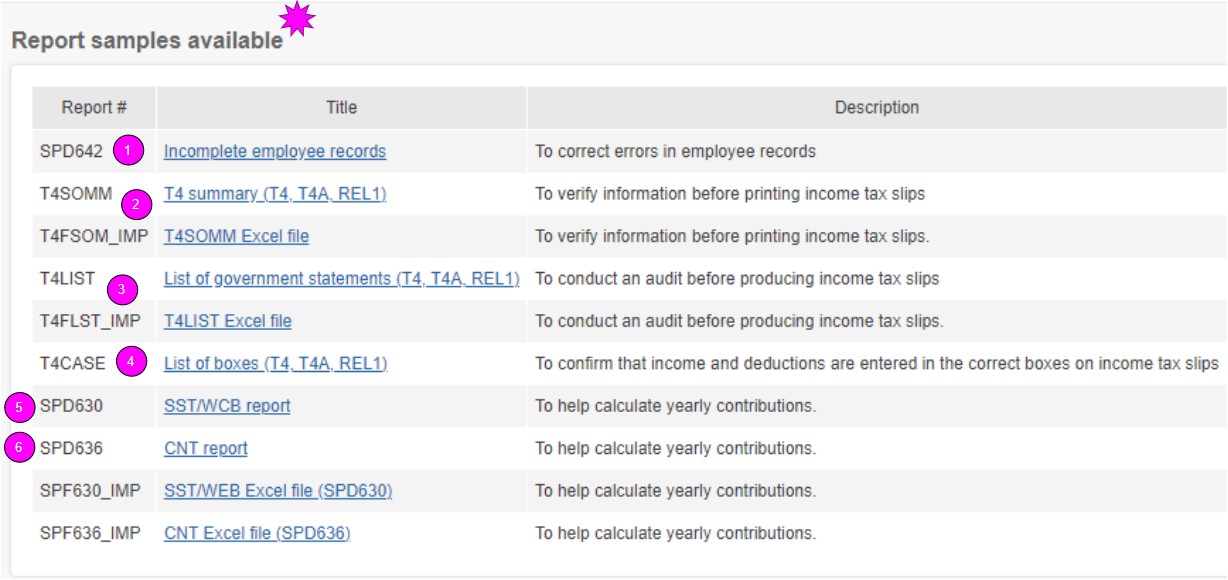
Report SPD636 (Québec only)
This report will help you calculate the annual contribution and complete your RL-1 Summary (RLZ-1.S-V form).
A list of employees that are not eligible will be included at the end of the report.
Available in Excel format. et PDF.
Report SPD630
This report will help you calculate the annual contribution to the Workers’ Compensation Board report of your province or territory.
Use it for an employee with more than one rate within the same province, for employees working in more than one province, and for QCC employees.
Available in Excelp and PDF format.
Report T4CASE
This report validates that the earnings and deductions are entered in the appropriate boxes on the tax slips.
When requesting this type of report, you get:
- List of REL1 boxes - T4CASEREL1 (Québec only)
- List of T4 boxes - T4CASET4
- List of T4A boxes - T4CASET4A
Excel and PDF format
Report T4List
This report allows you to check the tax slips.
It indicates earnings and deductions that will be included in each employee’s tax slips.
When requesting this report, you get:
- List of T4 tax slips - T4LISTT4
- List of T4A tax slips - T4LISTT4A
- List of Rel1 tax slips - T4LISTREL1 (Québec only)
Excel and PDF format.
Report T4SOMM
This report allows you to check your information before your slips are printed.
When requesting this report, you get:
- Rel1 Summary - T4SOMMREL1 (Québec only)
- Relevé 1 Summary - R1SOMM (Québec only)
- T4 Summary - T4SOMMT4
- T4A Summary - T4SOMMT4A
Excel and PDF format.
Report SPD642
This report allows you to determine what personal information is missing from your employee files in order to insure the accuracy of the tax slips
when they will be produced.
You can then go and correct the data (SIN, address, postal code)in the files of the employees concerned.
An empty report means confirms that there are no missing information in the files of your employees.
Reports Menu > Annual reports > Manage year-end reports
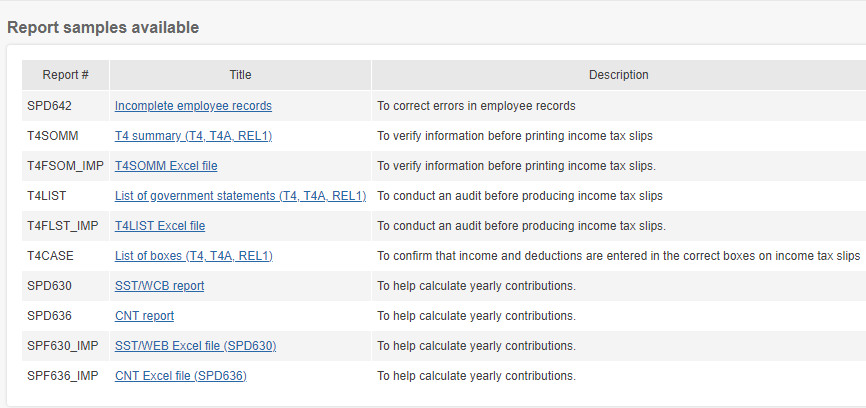
In the payroll application, click on the link under the report's name to visualise an example.